TL;DR: On YouTube, they’re already calling it “Claude 2.0,” even though Anthropic hasn’t released anything under that name: it’s the Claude app completely revamped from the ground up, with the chat, Cowork, and Claude Code all in one place. I switched to Claude Code a week ago, and I’ll tell you what I’ve gained from it, which is mainly control, and what still makes me go back to Cowork…
This week, I’m not going to talk to you about a new model, or a benchmark, or a funding round with lots of zeros (though there have been some of those, by the way).
I just wanted to tell you why I switched apps for working with Claude, and why half of YouTube is calling this change “Claude 2.0.”
The name is not official. In the Claude’s release notes , it doesn’t appear anywhere. What is there, however, are videos with that title that are going viral: one in English, “Anthropic Just Shipped Claude 2.0”, which surpassed 850,000 views in less than a week, and in Spanish, Migue Baena covers it in “Once Novedades” and attributes the nickname to an engineer on the team itself.
What exactly is this thing they call Claude 2.0?
There are several things that have been rolling out in phases, and together they significantly change the experience.
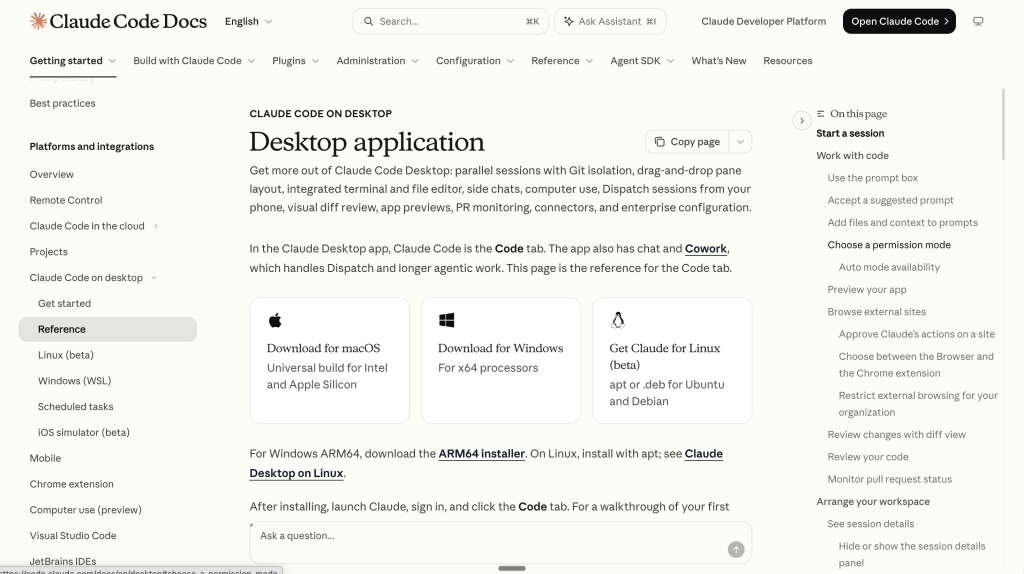
The first came in April, when Anthropic redesigned the Claude Code desktop app with a design that works really well for me: you no longer ask it to do one thing and just sit there watching; instead, you have several tasks running and can jump from one to another.
A sidebar with all the conversations, a terminal built-in, a file editor built-in… the usual stuff for programmers, but all wrapped up in a window that isn’t intimidating.
The second one was on September 16. On that day, Cowork ceased to be a separate mode and started working from within any conversation; the chat and Cowork were combined into a single tab, and Claude Code remained in the tab next to it, just a click away.
Basically, the model is the same—what’s changed is where you work with it from.
Why I Made the Switch
I’m telling it like it is. I decided to switch to Claude Code from Cowork after seeing the new user interface. The old one was a bit intimidating, but the new one isn’t just similar, it actually gives me a lot more information and control over what I’m doing.
And coming from someone who doesn’t code, that’s saying a lot.
I used to have Claude Code tucked away in my mental “IT people’s stuff” folder. I’d glance at it out of the corner of my eye, think it looked incredibly powerful, and tell myself: this isn’t for me. Well, guess what…
Using my “second brain” has been seamless, so the transition has been very easy.
For me, this was non-negotiable. I’ve spent months teaching Claude how I work, what matters to me, and what doesn’t, and if switching tabs had meant starting from scratch… honestly, I wouldn’t have made the switch. I opened Claude Code on the first day, and everything was still there.
What I liked the most
First off, the branches. I think the ability to create chat branches when you’re working on a specific task during a conversation is a great feature. Also, the side chat: it lets you open a conversation on the side of the main chat, ask a quick question that’s come up, and return to the main conversation without interrupting it. The side chat reads what’s in the main conversation but doesn’t send anything back, which is exactly what you want so as not to disrupt the task you’re currently working on.
Also, the ability to organize my chats into sections and open two or three at a time in split screen. It might seem like a small thing, but when you’re juggling several things at once (and anyone who reads my posts knows there are usually quite a few), being able to see at a glance which ones are waiting for a reply from you really makes a difference.
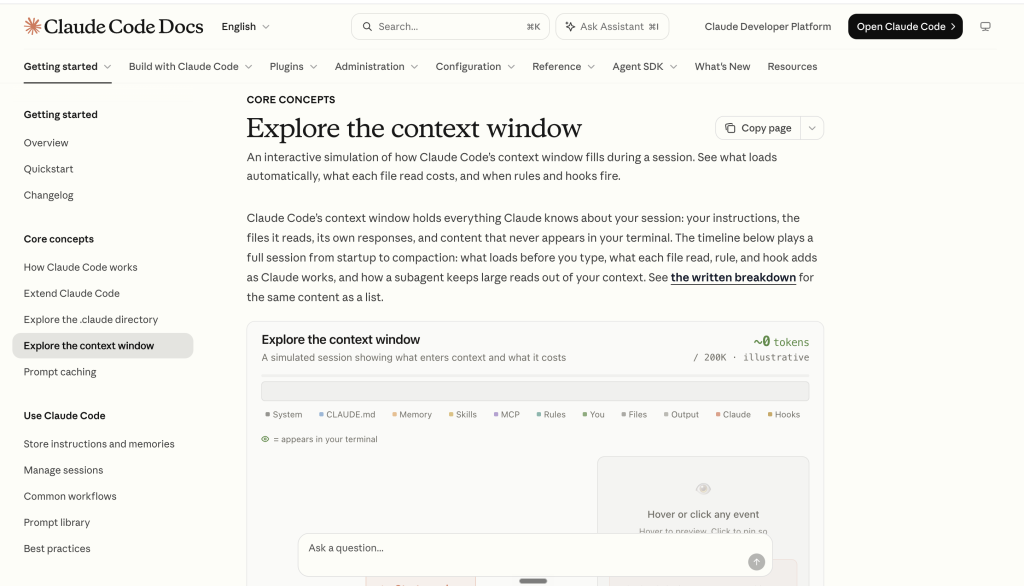
On the other hand, the context. The options for minimizing the context window in Claude Code ensure that you’re always working at peak performance. For those who aren’t familiar with this: conversations with AI have a memory limit, and when you get close to the limit, the agent may start to lose track of things. With /compact it summarizes everything that’s been said, focuses on what’s important, and carries on. I spend many hours at a time with the same agent, and it really makes a difference.
And finally, the mobile app. Each chat can also be managed from the mobile app by enabling “Remote Control,” which lets me interact with my computer from anywhere. Of course, the one doing the work is still your computer, so if you shut it down, that’s the end of it. The phone is just a little window, nothing more.
What's still missing
Not everything is perfect.
It’s true that I still have to log into Cowork to review scheduled tasks and, most importantly, to save skills. I imagine this is something Anthropic will improve in the future, because having two separate places for things that should be together is a bit of a hassle, to be honest. You get used to it, but every time I switch tabs to save a skill, it reminds me.
And a word of warning for anyone thinking about taking the same step. More control also means more stuff on the screen: counters, panels, parallel conversations… The first afternoon is a little overwhelming, I’m not going to lie. If all you want to do is ask Claude a question every now and then, you don’t need half of it.
My thoughts on this matter
You can see the features in any 17-minute video (new interface, nested sessions, sidebar chat, multitasking, its own office suite, new commands, and mods), so I won’t repeat myself.
What has really changed for me is the workflow. Just this morning, for example, I had an invoice open, the week’s blog posts, and the English text for the previous article, and I was viewing everything on the same screen, switching over only when necessary. Before, that meant switching back and forth between windows and trying to remember where I was in each one.
Do you remember Claude Duet, whom we were talking about a few days ago? (Here’s that article) Duet is the agent that messages you first and decides for you what to show you. This goes in the exact opposite direction, and for now, I’m sticking with this: I’d rather see what happens and decide for myself.
Now, the next time someone mentions “Claude 2.0” to me, I know exactly what to say: don’t change the model, change the screen, because that’s where you really notice the difference…
Leave me your comments—I’d love to hear from you.
Have a great week!